
Cobra is a library and generation tool for creating command line interfaces. It simplifies the work needed to create a good CLI. It is written in Go and is used in quite a few well know open source projects. Docker, Kubernetes, Etcd and the GitHub CLI all use Cobra. Check out this link for a larger list of projects.
There are some great older posts on how to use Cobra available online, but I still thought it was worth creating my own. I hope creating something newer that includes using Go modules and subcommands will be usefull as a concise way to get started with your own Golang CLI. In just a few minutes, you can have a Go CLI with Go module support and nested commands.
Getting Started
First get the Cobra package. This will give you access to the Cobra CLI tools as well as the libraries. Also, take a peek at the Cobra README while you’re at it. It has some good documentation on how to use it.
go get -u github.com/spf13/cobra
Create your CLI
Replace github.com/arroyo with your namespace and cobrakai with the name of your CLI.
cobra init --pkg-name github.com/arroyo/cobrakai cobrakai
Now that you have the shell app, cd into your code and initialize your module. Among other advantages, this will allow you to compile anywhere on your computer without being in your $GOROOT.
cd cobrakai
go mod init github.com/arroyo/cobrakai
Now add your first command, called strike.
cobra add strike
Lets compile now and test. Use go install instead of go build so that you can run your new cli anywhere.
go install
cobrakai strike
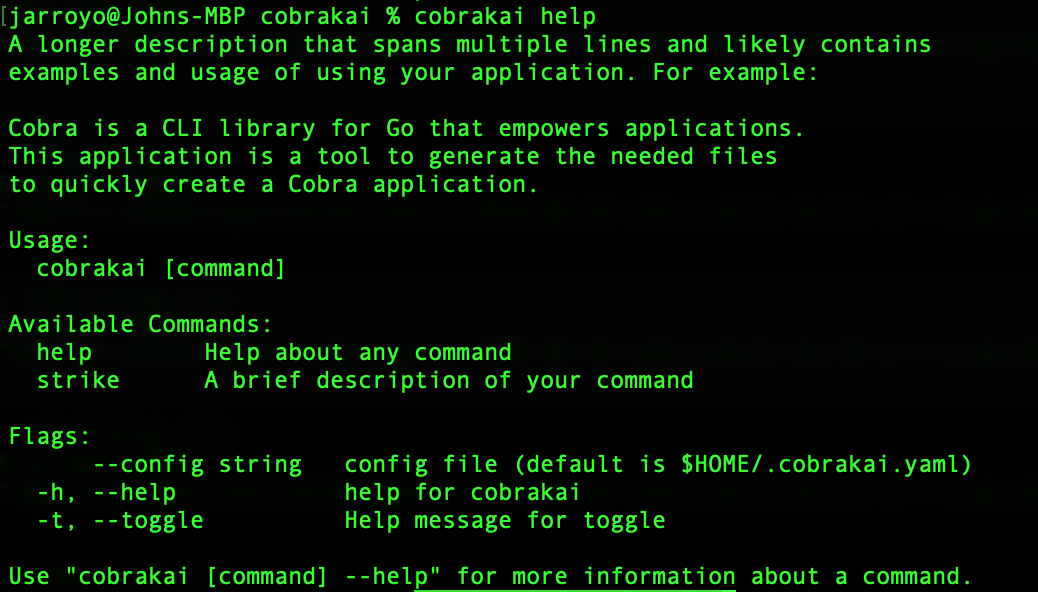
It will spit out a simple message, “strike called.” To see the boiler plate help messages run the command with no arguments or “cobrakai help.”
cobrakai
cobrakai help
You should see something like this in your terminal.
Nested commands
Lets try a nested command while we are at it.

cobra add first -p 'strikeCmd'

go install
cobrakai strike -h
Now you have a subcommand that can be called in your terminal with
cobrakai strike first
Under the hood all that is going on is that the command registers itself to strike as the parent instead of root. You could have just as easily changed the heirarchy with a simple change in your favorite text editor.
# Change "rootCmd"
func init() {
	rootCmd.AddCommand(firstCmd)
}

# To "strikeCmd"
func init() {
	strikeCmd.AddCommand(firstCmd)
}
That’s it! You now have a simple CLI that you can easily add additional commands to. read through the boiler plate go files that are in your cmd folder. You can swap out the default text with your actual documentation and add whatever implementaions you need.
Additional Links
Some other good links on creating a CLI.
Overall the Cobra readme has some great documentation, it should be your first stop.
https://github.com/spf13/cobra
https://github.com/spf13/cobra/blob/master/cobra/README.md
https://towardsdatascience.com/how-to-create-a-cli-in-golang-with-cobra-d729641c7177